
Long study sessions can add eye strain
Long periods of close-up study or screen use may increase visual fatigue, so reminders need to be calm and practical.
Privacy-first · On-device AI · Study companion
BrightEyes processes study-posture signals on the device after user permission. It provides low-distraction reminders around viewing distance, head position, and study rhythm to help families build steadier habits.
Lite free trial and Pro are available on Google Play | Core local features do not require an account
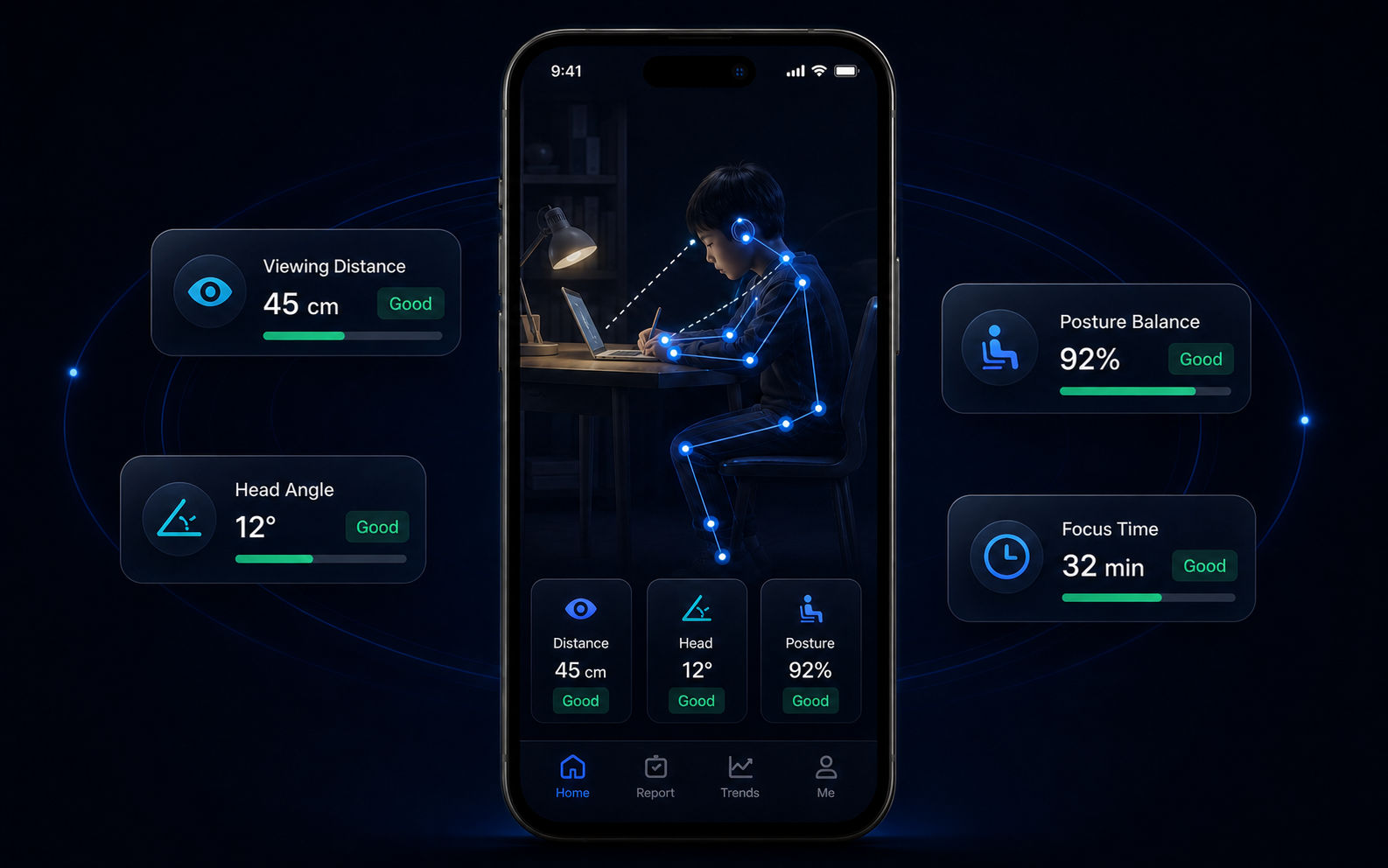
Long periods of close-up study or screen use may increase visual fatigue, so reminders need to be calm and practical.
Looking down, leaning, or sitting too close should be addressed in time, without turning study into surveillance.
Children may not notice when it is time to rest, and parents cannot supervise every minute.
A camera-enabled learning tool for children must clearly explain local processing, permissions, and data boundaries.
Our approach
BrightEyes is built around on-device geometry checks and session calibration. It can provide mild reminders for sustained head-down posture or sitting too close while keeping privacy boundaries clear.
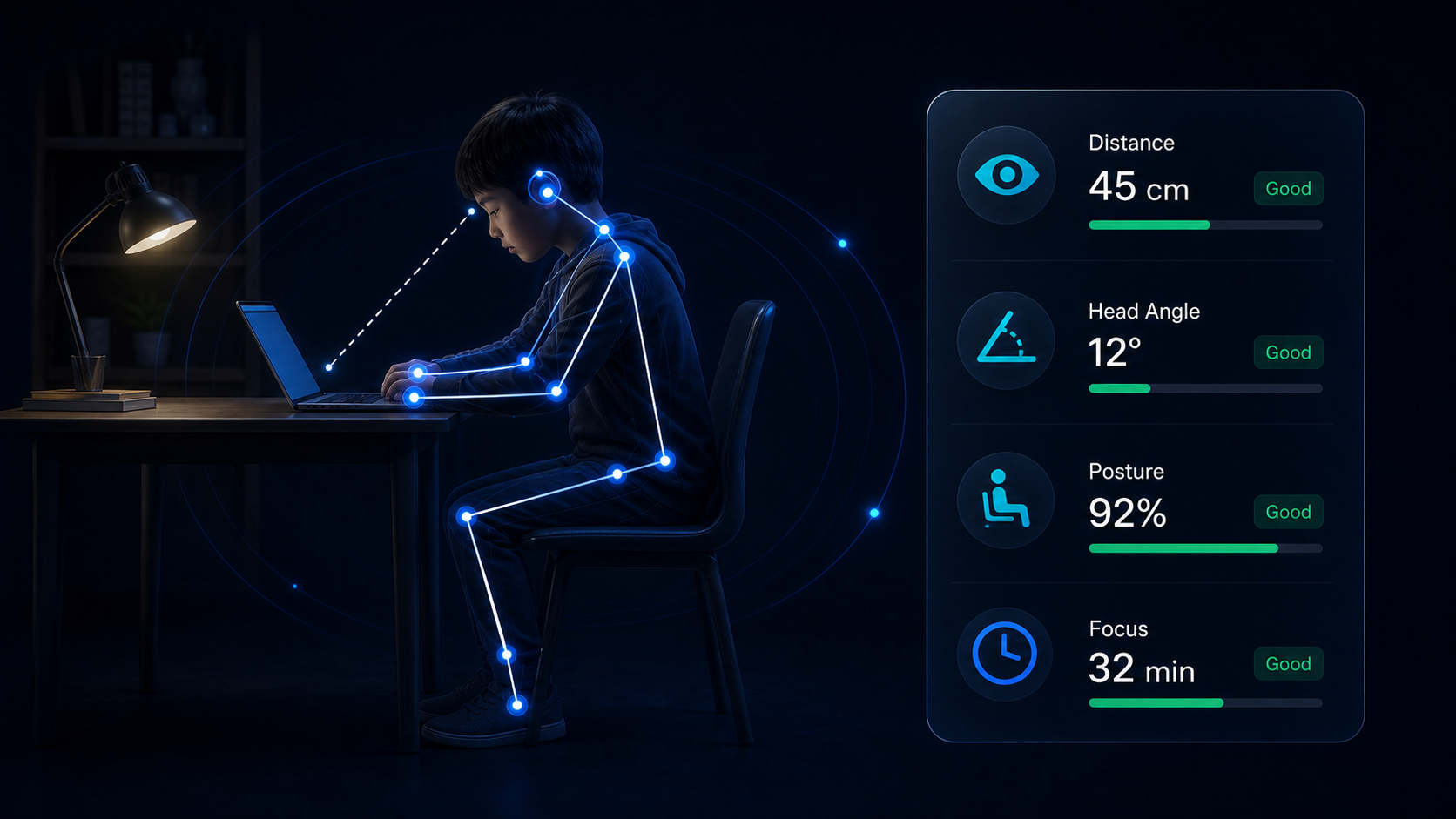
After permission, the app estimates study posture and distance from visual geometry on the device.
The app compares current signals with the current session calibration instead of relying only on fixed thresholds.
It gives short action suggestions through text, vibration, or system notification. Voice reminders are not on by default.
Estimate study distance from the device view and suggest moving back when needed.
Use head angle and calibration to suggest looking up a little.
When keypoints are available, shoulder and body offset can support the reminder logic.
Track local study duration and rest rhythm to support regular study routines.
Keep session summaries on the device for reviewing rhythm and reminder counts.
Support reminder style, sensitivity, and local data clearing controls.
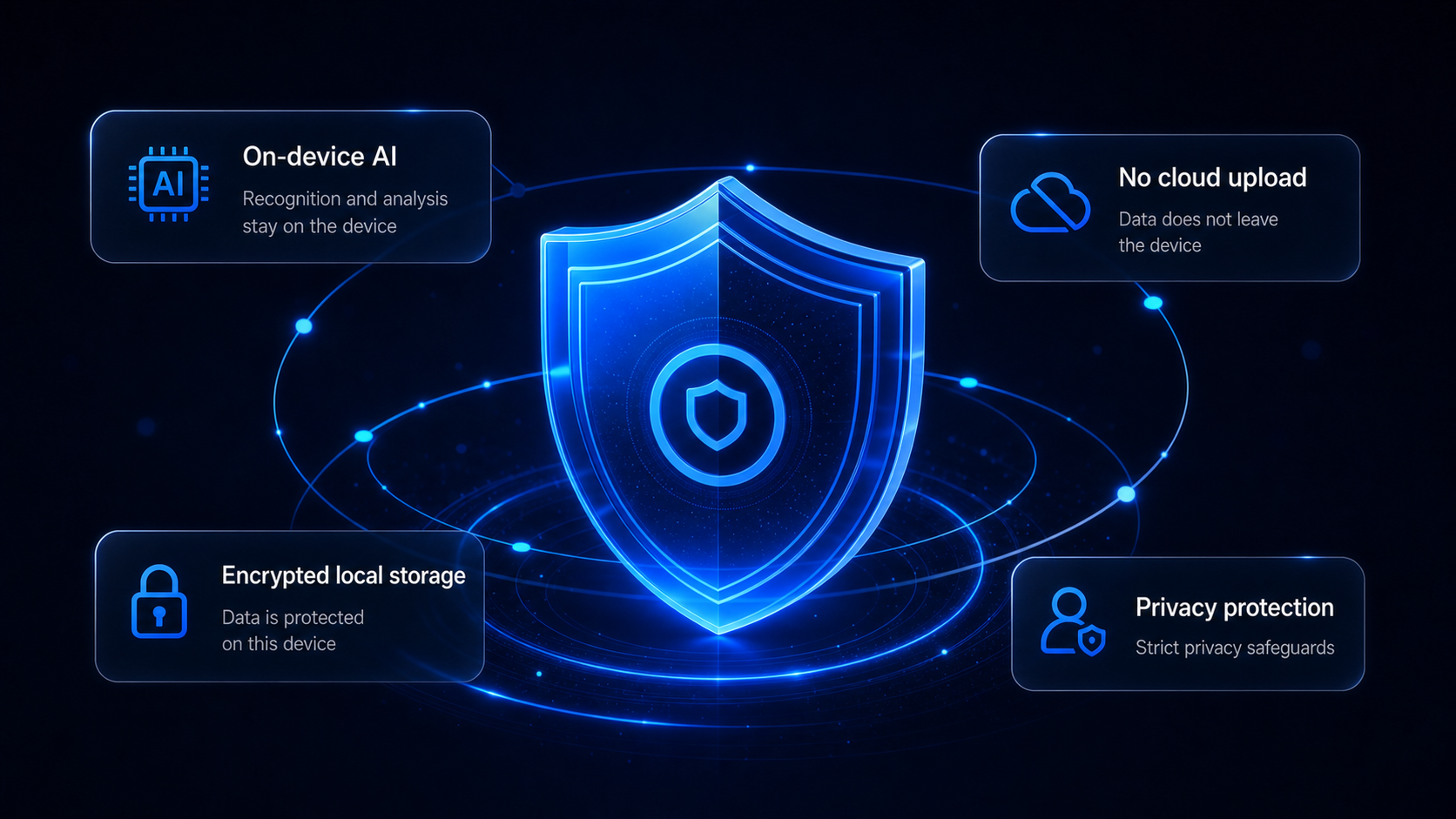
The current product boundary is no upload of app camera frames, photos, videos, raw posture data, or information that identifies a child. Website access logs are separate from app-local data.
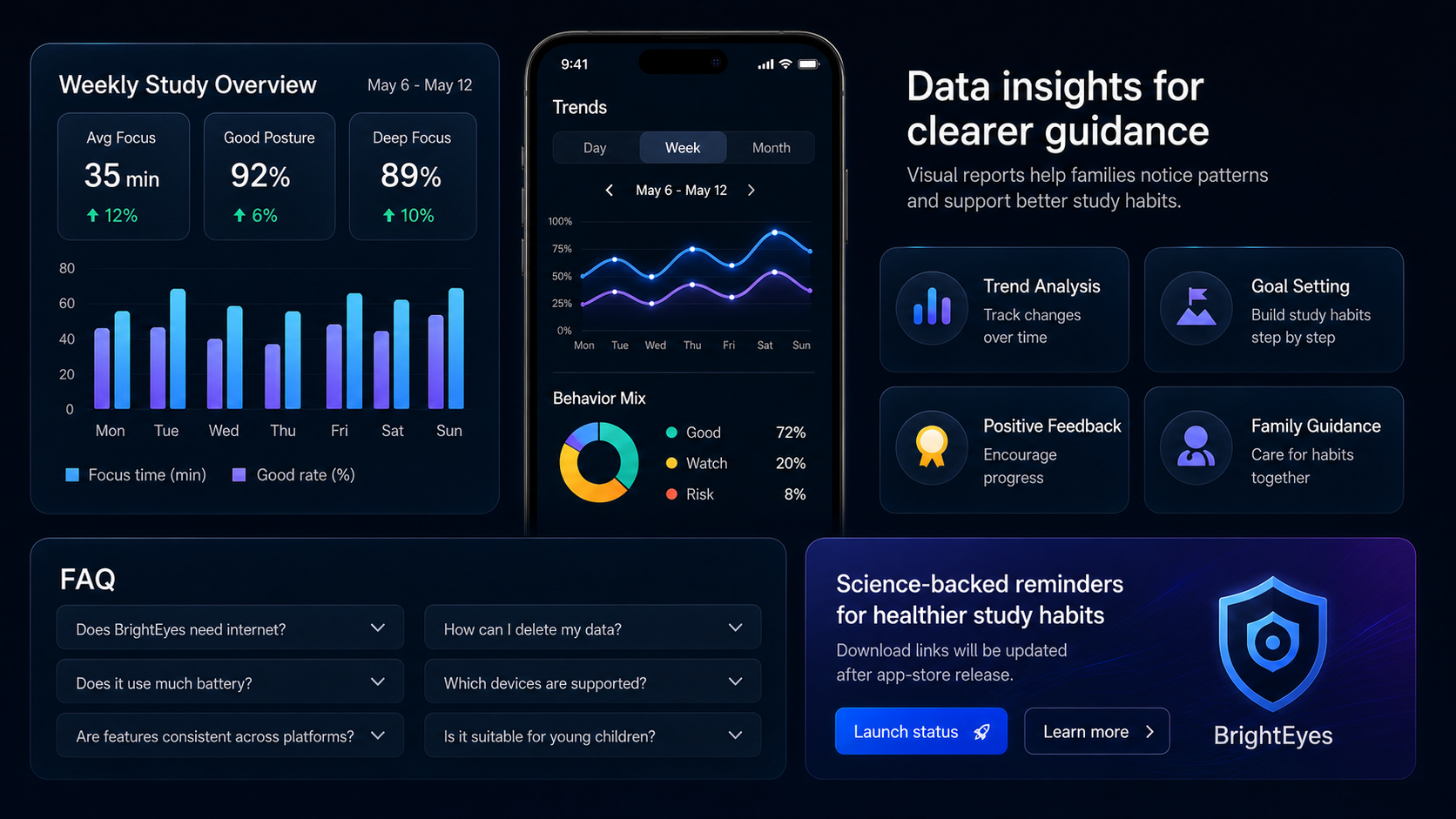
Local session summaries can help parents understand study rhythm and reminder trends. Actual data views depend on the app version and are not used for scoring, ranking, or commercial profiling.
Review local session changes
Fit family study routines
Reduce pressure and scolding
Care for habits together
Core posture and distance reminders are local-first and do not rely on account login or cloud recognition. Website visits may create basic access logs as described in the privacy policy.
BrightEyes Lite free trial and Pro are both available on Google Play through their home-page download buttons. Updates for iOS and other editions will be published in the changelog.
No. The current boundary is no upload of camera frames, photos, videos, raw posture data, or information that identifies a child. Camera permission is used for real-time on-device reminders.
BrightEyes has no account system. Local settings and session summaries can be cleared in the app, and uninstalling the app removes local app data.
No. BrightEyes provides study posture and viewing-distance reminders only. It does not provide diagnosis, treatment, rehabilitation, myopia prevention, or medical advice.
Optional Pro enhancement keeps the same local-first boundary and does not upload camera frames, photos, videos, raw posture data, focus-session data, or identifiable child information.
Download Lite to try the core experience for free, or get Pro directly from Google Play. This page does not collect reservation phone numbers or email addresses.
Use the contact email for privacy, legal, or product inquiries; use the support email for product help.